


Picture Insect: Bug Identifier
4.33.19K Reviews
App Specs
- Version
- 2.9.1
- Updated On
- License
- Free
- Downloads
- 5,000,000+
- Developer
- Next Vision Limited
- Categories
- Education
- Platform
- Android, iOS
Screenshots
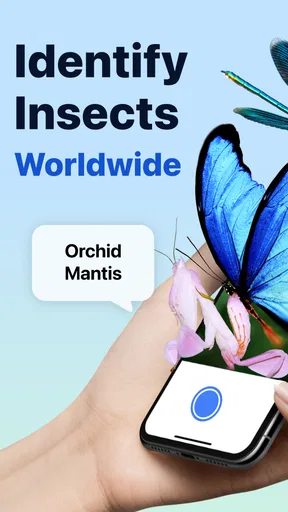
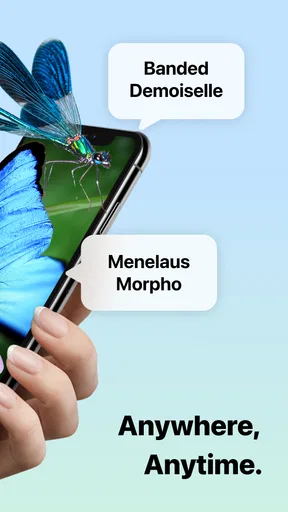
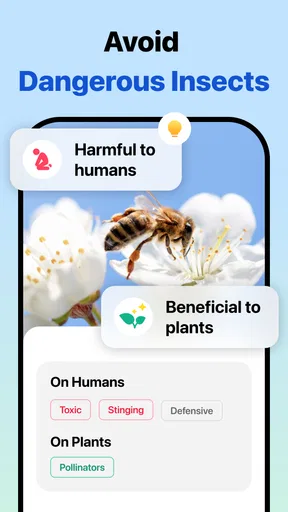
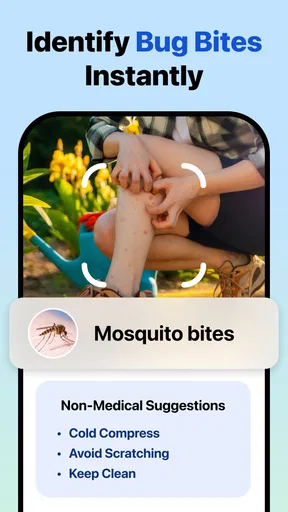

 Analysis by AppCompare
When a bug turns up in the kitchen or on a windowsill, the first challenge is often deciding what to do next. I like having a way to investigate before reaching for a spray or asking someone else to remove it. Picture Insect: Bug Identifier is an educational app from Next Vision Limited that helps turn a close-up photo into a starting point for learning. It can make an ordinary household discovery more interesting, but I’d treat its answer as a helpful clue rather than a final verdict.
A small discovery becomes a shared activity
Imagine a child spotting a beetle near the back door while an adult is making dinner. One person can take a photo, and the family can look at the suggested identification together instead of guessing from color or size alone. That simple routine is where this app makes the most sense at home: it gives everyone something concrete to examine and a reason to talk about the creature’s appearance and behavior.
The option to use a new photo or choose one from the gallery also suits households with different schedules. If nobody can stop to investigate in the moment, a picture can be saved for later and reviewed when there’s time. I’d still try to photograph the insect safely and leave it undisturbed when possible. An identification app is not a reason to handle an unknown insect or spider.
For shared devices, I’d think about whose photos and saved discoveries are being used before making the app part of a household routine. The app’s collection can help someone revisit finds, but I wouldn’t assume that different people have separate libraries or private areas. If several family members use one device, agree on whether everyone is adding to the same collection, and avoid saving personal images that have nothing to do with identification.
Getting a useful photo without disturbing the insect
A clear image matters more than taking several rushed shots. I’d start with one steady photo that shows the insect’s whole body, then take another from a different angle only if it can be done without getting too close. A plain background can make the subject easier to distinguish from leaves, patterned fabric, or a crowded garden scene. If the insect is moving, waiting a moment for it to settle may be more useful than using a blurry picture.
There’s also a practical reason to keep the original image. If the suggested match seems questionable, you can compare the insect’s visible features with other references rather than relying on memory. The app’s list of possible matches is a reminder that a photo can resemble more than one species. I’d look for agreement between the suggested identification and details I can actually see, such as body shape, markings, and the setting where it was found.
For a bug discovered indoors, the location can help guide what to check next, but a photo alone shouldn’t be treated as proof of an infestation or a safety risk. If you’re trying to decide whether a pest needs professional attention, use the identification as a prompt for further checking. When the consequences matter—such as a suspected bite, a reaction, or a possible household pest problem—rely on appropriate expert advice rather than an image match.
Worth Reading Before You Choose

EA SPORTS FC Mobile 26 Is a Bigger Football Game, but It Takes Time

Flipboard Shows What News Apps Must Do Beyond the Feed

Switching to Android Auto Means Rethinking Your Driving Routine

Google Calendar Makes a Crowded Week Easier to Manage

Ludo King Makes the Most of the Minutes Between Plans

Baby Panda World Brings Quick Play to Modern Phones, but Its Game Library Feels Busy
What the identification can—and cannot—settle
The app is most useful when the goal is curiosity: naming a butterfly in the yard, learning about a spider seen outside, or giving a child a more informed answer than “some kind of bug.” Its descriptions of habitat and behavior can provide context after a match, and the scientific name gives you a more precise term to search if you want to keep learning.
I wouldn’t use a quick match as the sole basis for deciding whether an insect is harmless, whether a plant is being damaged, or what treatment a home needs. Lighting, focus, distance, and the angle of a photo can all affect what details are visible. A young or unusually colored insect may also be harder to recognize from a single image. If the top result doesn’t fit what you see, try a better photo or compare the alternatives instead of forcing the first answer to fit.
That cautious approach is especially important with spiders and household pests. An app can help narrow down what you may be looking at, but it cannot inspect a room, assess a bite, or confirm what is happening throughout a building. I’d use it to organize a question, not to replace a qualified person when the decision could affect health, safety, or costly pest control.
Using it at home, together
I find shared use works best when the photo is the start of a conversation, not a household record everyone assumes is private or separate. Before saving finds on a shared device, I’d agree whose images belong there and let each person decide whether to add a discovery. That small boundary keeps a curious moment easygoing and leads naturally to the practical question of how different ages can take part.
Keeping the activity comfortable for different ages
Because the app is rated Everyone, it can suit a broad audience, but I’d still guide younger users through what they photograph and how they respond to an insect. The educational value is strongest when an adult helps check the result and turns it into a conversation, rather than treating the app as an authority. A child can notice colors and legs; an adult can help compare those observations with the suggested information and explain why a match may be uncertain.
That shared approach also sets a useful boundary: observe first, don’t touch. If a child is nervous, there’s no need to move closer just to get a better image. A photo from a safe distance—or no photo at all—is a sensible choice. I also wouldn’t leave a child to make decisions about bites, stings, or pest treatment based on the app’s results.
The app is free to download, with in-app purchases ranging from $2.99 to $39.99 per item. For a family deciding whether it belongs on a shared device, I’d check the purchase choices before handing the phone to a child and make clear who is allowed to buy anything. That’s a general device-use precaution, not a claim about any particular family control inside the app.
Where it fits beside other ways to identify a bug
The usual alternatives are a web search, a field guide, or asking someone with relevant experience. A field guide can be slower, but it encourages careful comparison and can be useful when you want a reference without taking a picture. A web search gives you more control over the sources you consult, though it may take longer to narrow down the possibilities. Asking a knowledgeable person can be preferable when accuracy has practical consequences.
This app’s advantage is convenience: a photo can quickly produce possibilities and background information in one place. Its trade-off is that convenience can make a tentative result feel more certain than it is. I’d use it for everyday discovery and then turn to a trusted reference or expert when the answer needs to be dependable. The community area may be appealing to enthusiasts who enjoy sharing finds, but I’d still compare opinions with observable features rather than treating a discussion as confirmation.
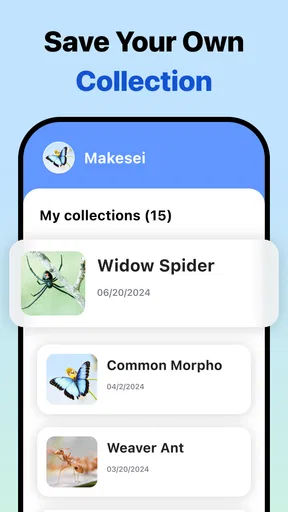
The saved collection adds a useful second step for people who like noticing patterns. Instead of identifying one insect and forgetting it, you can revisit finds and compare what you have seen over time. For a household, that could mean keeping a record of garden visitors or remembering which kinds of insects have appeared near a porch. It’s best understood as a personal learning aid, not as a formal pest log or a substitute for professional inspection.
Who will get the most from it
I’d recommend trying it if you enjoy nature, want an approachable way to explore insects with children, or often find yourself wondering what has landed nearby. It is particularly handy for casual questions where a likely identification and some basic context are enough. The app is free, and its 4.3 average rating reflects a generally positive reception among a large group of users, though individual results still depend on the photo and the insect being identified.
Someone who needs a definitive identification for medical, agricultural, or pest-control decisions should not rely on this app alone. It may also be a poor fit if you prefer not to use image-based tools, don’t want to manage a shared collection, or would rather consult a printed guide at your own pace. A specialist reference or direct advice from a qualified expert is the better route whenever a wrong guess could lead to harm or unnecessary expense.
First Impressions
Downloading Picture Insect: Bug Identifier was quick and hassle-free. Once opened, the interface greets you with a clean and intuitive design. It’s pretty straightforward, so you won’t find yourself lost in a jungle of menus. I really appreciated the simplicity—it makes it super easy to dive right into the world of insects.
The home screen gives you the option to either take a new picture or upload one from your gallery. This flexibility is excellent, especially when you’re out and about and stumble across a bug you want to identify later.
How It Works
The app uses AI technology to identify insects from the photos you take. I tried it out with a few different bugs I encountered in my backyard. All you have to do is snap a clear picture of the insect, and the app does the rest, offering a list of possible matches. It’s not foolproof, but it’s surprisingly accurate most of the time.
Once identified, the app provides detailed information about the insect, including its scientific name, habitat, behavior, and even some fun facts. This feature is a goldmine for curious minds and budding entomologists alike.
Features That Stand Out
I found the app’s ability to create a personal collection of identified bugs particularly nifty. You can save the insects you’ve identified into a library, making it easy to track and revisit your discoveries.
Another feature worth mentioning is the community aspect. There’s a section where users can share their finds and discuss them. It’s a nice little hub for those passionate about insects to connect and exchange knowledge.
Performance and Usability
The app runs smoothly on both Android and iOS devices. I didn’t encounter any crashes or bugs—pun intended—during my time using it. The AI identification process is quick, usually taking just a few seconds to deliver results. It’s perfect for when you’re on the go and need answers fast.
One thing to note is that the app requires a good quality image to work best. Blurry or poorly lit photos can lead to inaccurate results, so keep that in mind when snapping your pics.
Picture Insect: Bug Identifier is currently at version 2.9.0 and was released on October 18, 2019. It is an education app for Android and iOS, with a minimum Android operating-system requirement of version 9. More than five million installs show that it has found a sizable audience, but I’d still judge it by whether its photo workflow and learning content suit your own needs.
Final Thoughts
Picture Insect: Bug Identifier is a fun and educational tool for anyone interested in the insect world. Whether you’re a casual nature enthusiast or a dedicated bug lover, this app has something to offer. Its user-friendly design and insightful features make it a standout choice for identifying and learning about insects.
If you’ve ever found yourself wondering about the little critters around you, give this app a try. It’s a delightful way to explore and appreciate the biodiversity right in your backyard. Plus, it’s always nice to impress friends with your newfound bug knowledge!
Pros
- Accurate insect identification feature.
- User-friendly interface for all ages.
- Offline mode for remote areas.
- Extensive database of insect species.
- Regular updates with new features.
Cons
- Limited free version features.
- Requires internet for full identification.
- Occasional misidentifications.
- Subscription can be pricey for some.
- Ads in free version can be intrusive.
FAQs for Picture Insect: Bug Identifier
What is Picture Insect: Bug Identifier?
Picture Insect: Bug Identifier is an app designed to help users identify various insects through high-quality image recognition technology. By simply taking a photo of a bug, the app provides detailed information, including species name, habitat, behavior, and more. It's a valuable tool for entomologists, gardeners, and curious nature enthusiasts.
How accurate is Picture Insect: Bug Identifier?
The app boasts a high accuracy rate due to its extensive database and advanced AI algorithms. While it is highly reliable, users should note that lighting, image quality, and angle can affect results. For the best accuracy, it's recommended to capture clear, well-lit images of the insect.
Is Picture Insect: Bug Identifier free to use?
Picture Insect offers a free version with basic features, but it also includes in-app purchases and subscriptions for advanced functionalities. The premium version provides enhanced features like ad-free usage, additional information on insects, and priority customer support, offering a more comprehensive experience.
Can Picture Insect: Bug Identifier be used offline?
While the app requires an internet connection to access its full database and provide the most accurate results, users can save previously identified insects for offline viewing. This feature is particularly useful for those in remote areas with limited connectivity.
What devices support Picture Insect: Bug Identifier?
Picture Insect is available on both Android and iOS platforms. It requires an updated operating system to run smoothly. Users should ensure their device meets the app’s minimum system requirements to enjoy optimal performance and avoid any compatibility issues.


